


.webp)
.webp)
.webp)

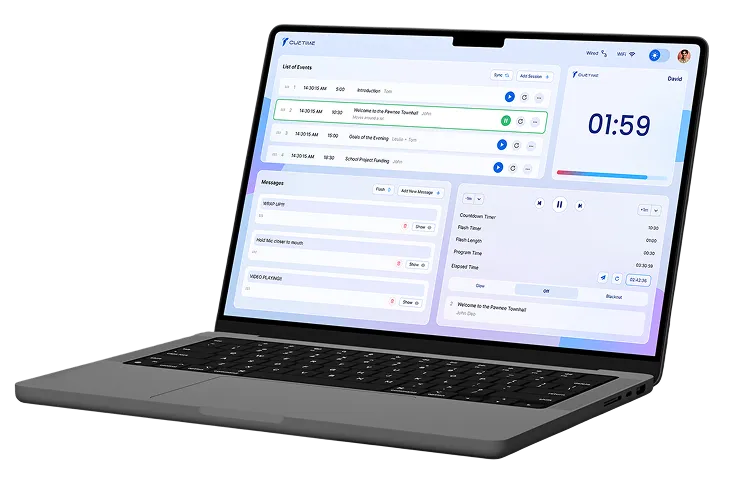
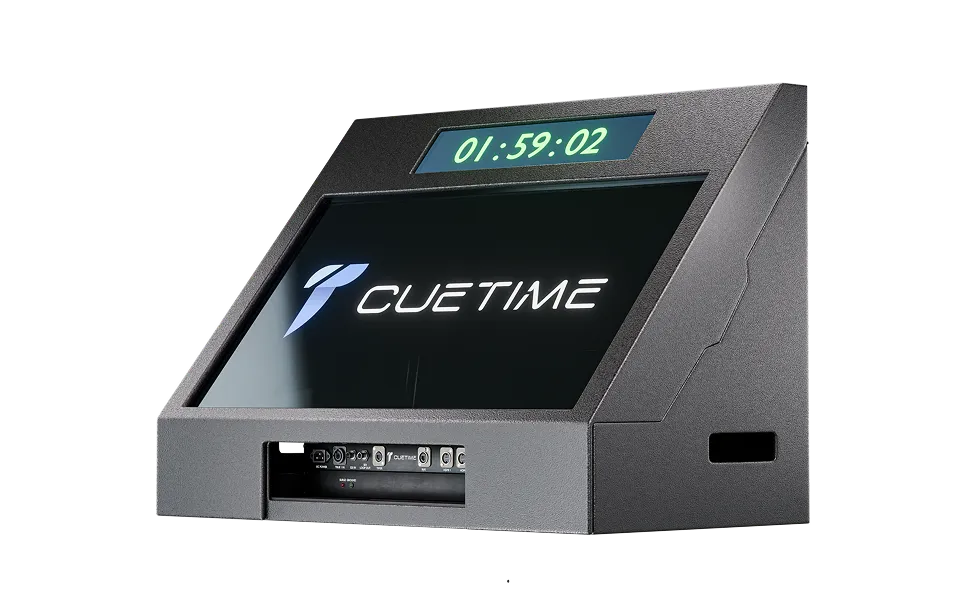
Share the timer. Not the controls.
No hardware. No installs. Just a live window into the show.
.webp)
One Link. Instant Access.
Generate a unique View Only link and share it via email, WhatsApp, or any messaging platform. Anyone with the link can instantly follow the show. No accounts. No logins required.
Works across every device
Access CueTime from any phone, tablet, or computer. No downloads, no installations, and no extra setup. Just open your browser and take control.
Build and manage every session of your event in minutes
Create Sessions. Stay in Control.
Add sessions with custom durations, speaker names, and internal notes. Whether you are managing a single keynote or a multi-day conference, your rundown stays organized, flexible, and fully under control.
Reorder the Show on the Fly
Plans change. Reorder sessions instantly with simple drag-and-drop controls, with no manual reshuffling or rebuilding required. Keep your rundown flexible, organized, and ready to adapt in real time.
Automatic Time’s Up Alerts
Know the moment a session reaches zero. Clear time’s-up notifications keep speakers and production teams aligned, helping prevent overruns and keep the program on schedule.
Stay Synced Across Devices
Keep session details, timing updates, and program changes synchronized across connected devices. Your production team stays aligned with the latest information, wherever they are managing the show.
.webp)
Guide your speakers with instant on-screen messages.
.webp)
Saved Messages, Ready to Send
Prepare common cues before showtime, such as “Speak Into Mic,” “Go to Q&A,” or “Wrap It Up.” Save them for instant access during the show, with no typing under pressure. Just select the message and display it.
On-Demand Speaker Messages
Display speaker cues exactly when they are needed, then hide them instantly once the message has been received. Messages remain unobtrusive while still being clearly visible enough to get the point across.
Instant Speaker Alerts
Flash important cues to immediately capture the speaker’s attention. Ideal for urgent updates, timing warnings, or critical instructions that need to be seen right away.
Control every timer, cue, and screen from one place
Live Timer Adjustments
Adjust live timers with precision. Add or subtract time, jump forward or backward, or reset instantly. From keynotes to back-to-back panels, you stay in complete control of every second.
Subtle Speaker Cue
Use the timer’s glow feature to gently capture a speaker’s attention without creating a sense of urgency. It provides a discreet visual cue that keeps the presentation moving naturally.
Instant Screen Blackout
Black out the display instantly between sessions, transitions, or private moments. Keep timers, messages, and upcoming cues hidden until you are ready to bring them back on screen.
Track Program and Elapsed Time
See the current program time alongside the elapsed session time at a glance. Stay aware of the full show schedule while monitoring exactly how long each session has been running.
.webp)
.webp)
Flexible Cue Triggers
Set cues to trigger based on elapsed time or specific moments within a session. Whether you need a reminder at an exact timestamp or a cue tied to the session itself, CueTime gives you precise control over when each action occurs, helping your team stay aligned and ensuring critical cues are never missed.
Stay Ahead of Every Cue
Set custom reminders before each cue so you always know what is coming next. Whether you need a few seconds or several minutes to prepare, CueTime helps you call the show with confidence and avoid missing critical moments.
Instant Cue Finder
Search your rundown to quickly locate the cue you need without scrolling through the entire show. Move faster, stay focused, and access critical information exactly when you need it.
Update Cues in Seconds
Edit cue details or clear cues instantly as the show evolves. Make fast adjustments without disrupting your workflow, keeping your rundown accurate and ready for what comes next.
Move from spreadsheet to showtime in seconds
Build Your Rundown in One Click
Import a CSV file and populate hundreds of sessions at once. Eliminate repetitive copy-and-paste work, reduce manual errors, and have your complete program ready to run in seconds.
Flexible Show Data Exports
Export sessions, cues, or activity logs separately, giving you complete control over the data you share, review, or archive. Choose only what you need without exporting the entire show.
.webp)

.webp)
.webp)